Cover Screen Trackpad
The cover-screen trackpad for foldables.
Your foldable's cover screen is facing away from you while the phone is open. This turns it into a rear trackpad: slide a finger on the back, a pointer moves on the front, tap to click.
A finger slides on the back of a Galaxy Z Flip; the pointer moves on the screen facing you and taps a link. No sound. Watch the full 50 seconds.
Why a trackpad on the back?
A big inner display is awkward one-handed — the far corner is always just out of reach, and stretching for it is how phones get dropped. A pointer solves the reach problem the way it does on a laptop, and the back of the phone is where your fingers already are.
It also does things a touchscreen cannot: precise placement of a text cursor, hovering before you commit, and clicking a link the size of a full stop.
And it can turn a swipe into a tap. Switch on edge-click scrolling, park the pointer against the bottom of the screen, and a tap scrolls the page — no dragging, no second hand, nothing held down. If swiping is painful or unreliable for you, that is the difference between reading a long page and giving up on it.
How it works
- Open the phone and launch the app. The cover screen becomes active — that's the trackpad surface.
- Use any app you like. The trackpad stays on while you browse, read or type.
- Drive from the back. Slide to move, tap to click, hold to drag. With PRO, two fingers scroll and pinch.
- Close the phone, or turn the screen off. The trackpad turns off, and folding behaves exactly as it normally does.
Watch the full setup
Every step on a real phone, start to finish — Auto Blocker, Shizuku, the pairing code, the permissions, and the pointer working at the end. About six and a half minutes.
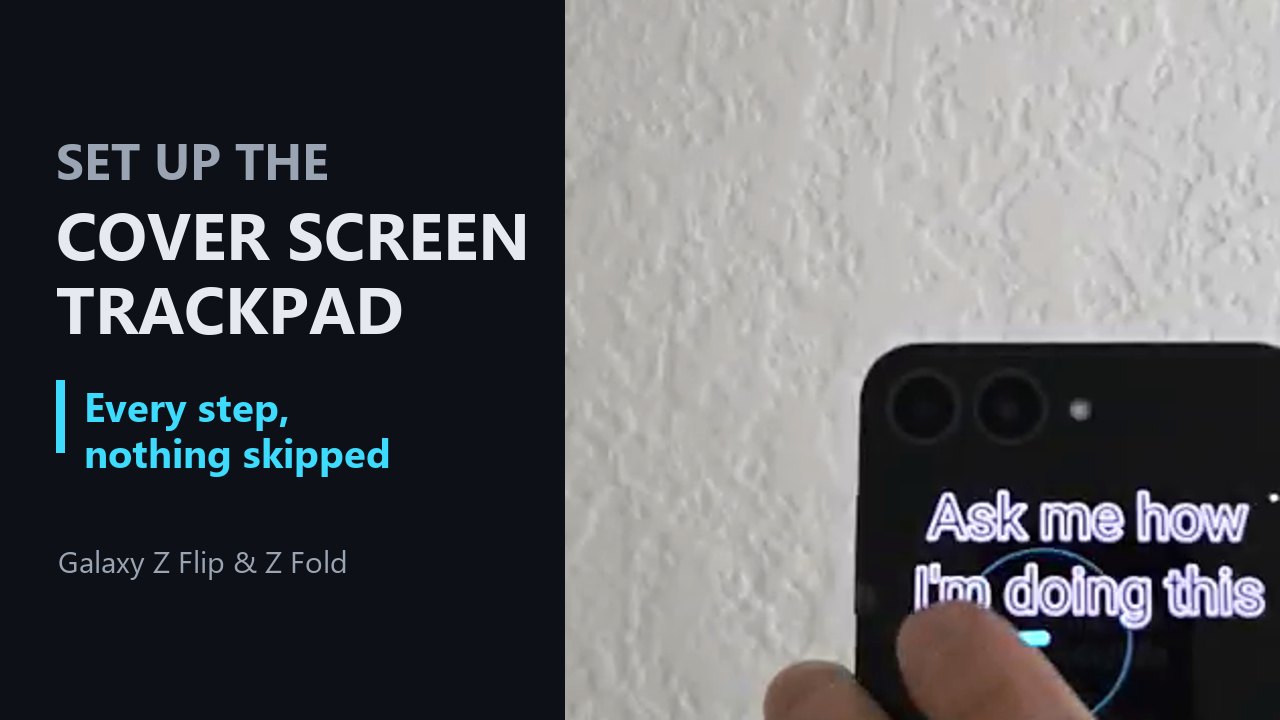
Opens on YouTube. Nothing on this page loads from YouTube until you click it.
Requirements
- A Samsung Galaxy Z Flip or Z Fold, running Android 15 (One UI 7) or newer. Those are one requirement rather than two: the dual-screen mode this depends on arrives with One UI, and One UI is Samsung's own software — so a foldable without it cannot run Cover Screen Trackpad, and no update of ours can add it. Earlier versions either lack the mode entirely or give it up every time you switch apps, which leaves the cover screen flickering rather than working. Verified by hand on Flip 3, Flip 5, Flip 6, Fold 3 and Fold 7 — and note the Flip 3 is a 2021 phone, so what matters is the software version, not how new the handset is.
- Shizuku, a free companion app. This is the only hard dependency.
Why Shizuku? While a foldable is open, Android switches the cover screen off completely and hides it from every app. Shizuku lets Cover Screen Trackpad ask the system to power both panels — the same mode the camera's dual preview uses. There is no way around it, and no other app can grant it. Setting it up takes a few minutes, once. It is also what lets the app check: once Shizuku is running, it looks for the mode and says plainly if your phone does not have it, rather than failing silently.
Free and PRO
The free version is a real trackpad, not a demo. Pointer, tap, drag, long-press and edge-click scrolling do not expire and never will. PRO is $14.99 once — no ads, no subscription, no accounts, and yours for good.
Every PRO feature is unlocked for your first seven days, so you can find out whether it helps before paying anything. The week starts the first time the trackpad comes up on the cover screen — not when you install — so setup does not eat into it. Nothing is charged at the end and there is nothing to cancel.
Free — forever
- Pointer, tap, drag and long-press
- Pointer size and speed
- Edge-click scrolling
- Idle fade-out and silent start
- A message on the cover screen
PRO — $14.99 once
- Two-finger scroll, pinch zoom and rotate
- Active zone, so gripping fingers don't move the pointer
- See-through view of the panel behind
- Quick Settings tile and pointer styles
- Your own words on the cover screen, or none at all
Questions
Do I really have to install Shizuku?
Yes, and there is no way around it. While a foldable is open, Android switches the cover screen off and hides it from every app — no permission or setting changes that. Shizuku lets the app ask the system to power both panels, which is the mode the camera's dual preview already uses. It is free, open-source, does not need root, and it is a one-time setup. The setup guide walks through it.
Why does it need accessibility access?
Moving a pointer and clicking on your behalf is only possible through that API — it is the same route any mouse-emulation tool takes. It is a powerful permission and you are right to be careful with it.
It notices two things about your screen, and nothing else. Whether a keyboard is up, so edge-click scrolling switches off while you type. And that something changed — not what changed: Android quietly takes the cover screen back when apps come and go, which would switch the trackpad off mid-use, so any change is a cue to check and take it back if needed.
It does not read the text on your screen, and nothing it sees is logged, stored or sent anywhere. The app does list the internet permission, which arrives with Google's billing library and is used only to ask Google Play whether you have bought PRO.
Will it drain my battery?
Barely. Cover screens are OLED, where a black pixel is simply switched off, and the trackpad lights very little of one: a few words, and a trail that follows your finger while you are actually using it. The cost sits inside the ordinary noise of a day's use. A larger cover screen has more panel to light, so a Fold costs a little more than a Flip.
PRO switches the words and the animation off, which leaves the panel black — quieter to be seen using, as well as very slightly cheaper to light. There is also an idle fade-out you can switch on, which turns the trackpad off when you stop touching the cover screen; it starts at never, and the slider sets the wait anywhere from 3 to 30 seconds.
Does it work on a Pixel Fold, or a Motorola Razr?
No, and we would rather say so than sell you something that cannot work. Everything rests on the phone exposing a mode that powers both screens at once. We bought a Razr+ and measured it: no such mode exists on it. The underlying reason generalises — standard Android only describes which single display is currently primary, and running both at once is a Samsung extension on top of that. So Pixel Fold and every other non-Samsung foldable are almost certainly in the same position.
This is not a matter of effort on our part: the mode belongs to the phone's own software, so no version of this app can add it. It is worth being precise about which part is fixed, though — it is not about the age of the hardware. A 2021 Galaxy Z Flip 3 gained the mode through a One UI update and runs this app perfectly. If a non-Samsung foldable ever ships the mode we would be glad to hear about it.
Does folding still work normally?
Yes. The trackpad turns off when you close the phone, when the screen turns off, when you tap Stop on the notification, or when you swipe the app away — and once it is off, your phone folds exactly as it always did.
Can I try PRO before paying?
Yes — every PRO feature is on for your first seven days: two-finger scroll, pinch and rotate, the active zone, the see-through view, the Quick Settings tile and pointer styles. The week begins the first time the trackpad actually comes up on the cover screen rather than at install, so a slow setup costs you none of it.
Afterwards the trackpad carries on working — the PRO features switch off and the free ones never expire. You are not charged at the end and there is nothing to cancel. The one thing the week does not include is switching off the cover-screen message; that is yours when you buy.
Is it a subscription?
No. The free version is genuinely usable, and PRO is a single payment. No ads, no accounts, no recurring charge.
Privacy
Cover Screen Trackpad collects nothing about you. No analytics, no accounts, and no server of ours to send anything to. The app never sends anything anywhere on its own — the only two exceptions are Google Play being asked whether you have bought PRO, and a problem report that you read and send yourself. Both are spelled out in the privacy policy.